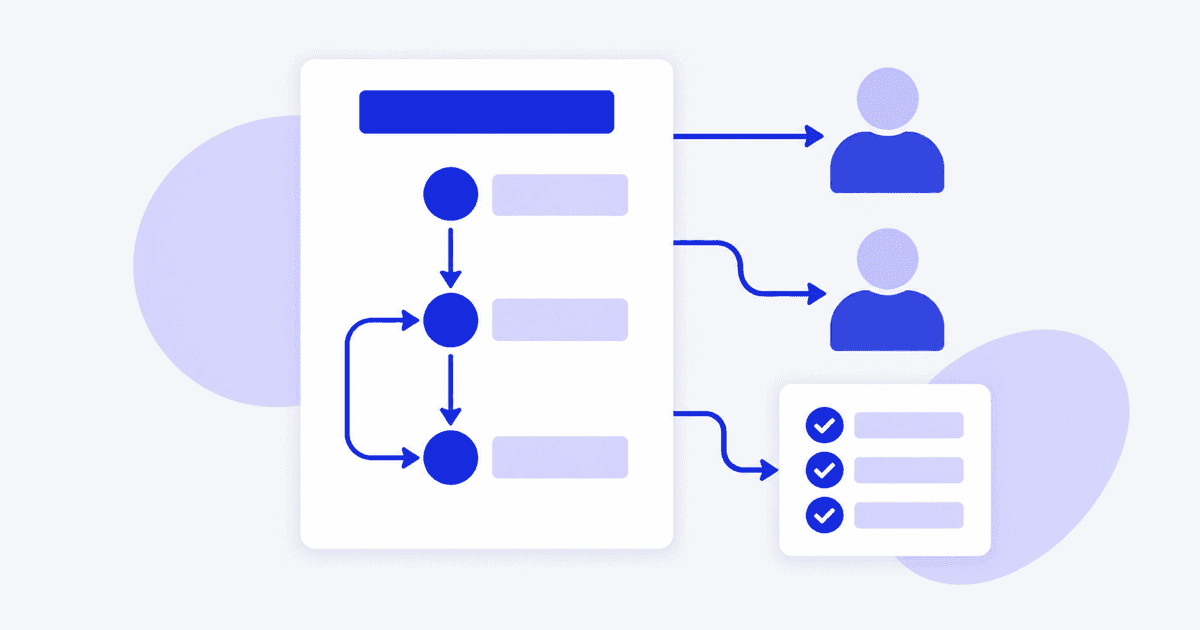
To write a use case, name the goal an actor wants to reach, list the actors and preconditions, then write the basic flow as numbered steps that alternate between the actor and the system. Add alternate flows for valid variations and exception flows for failures. Finish with postconditions and the business rules that apply. Each step should describe one observable action.
What is a use case description?
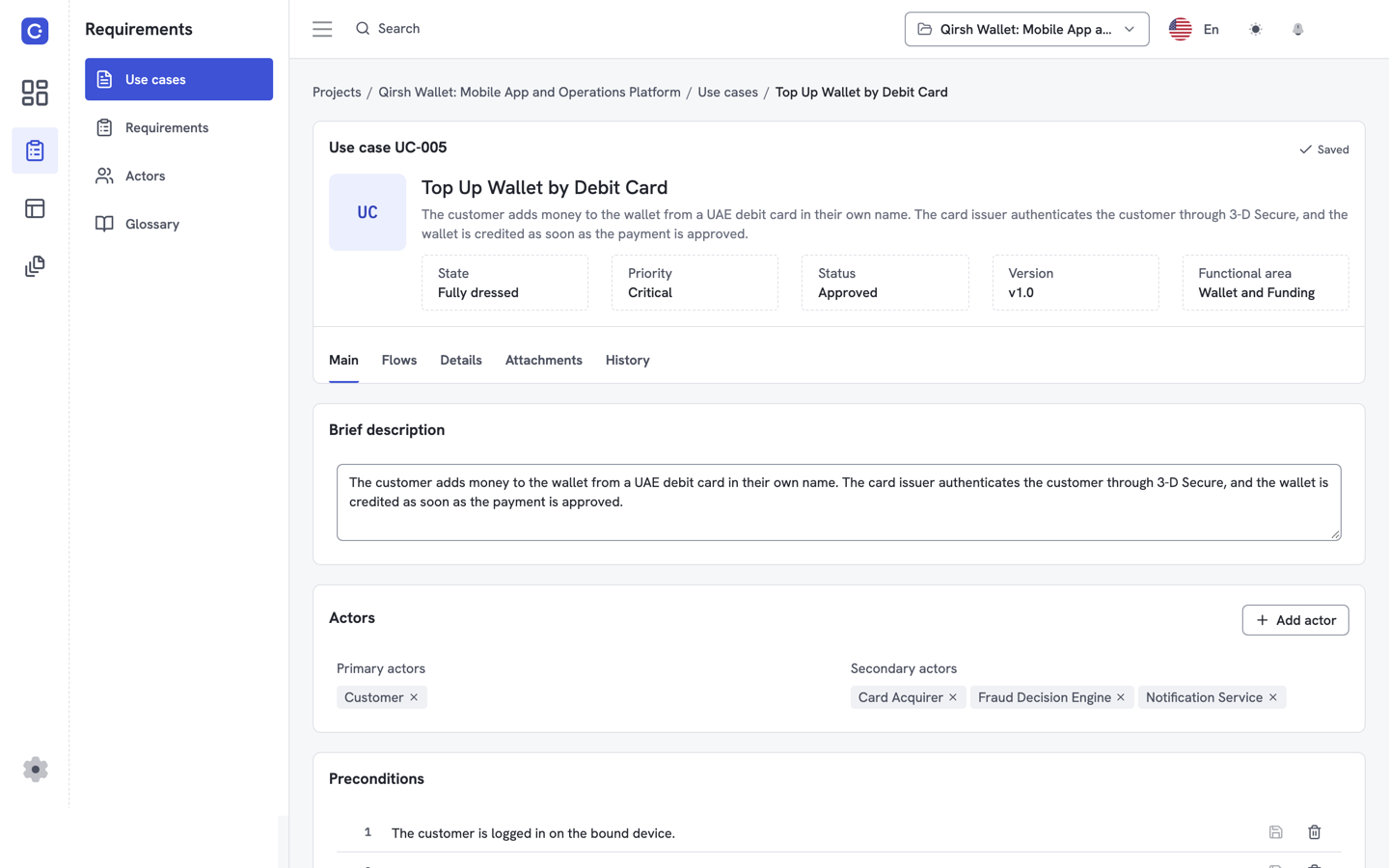
A use case description is the written form of one use case. It states what an actor wants to achieve with a system and the exact sequence of interactions that gets them there.
A diagram shows who uses the system. The description shows what happens, step by step. Developers, testers and stakeholders read the description to agree on behavior before anything is built.
The structure in this guide follows the style Alistair Cockburn describes in Writing Effective Use Cases, a widely used reference for this format. Use it as a template, and keep to the sections your team actually reviews. For a ready-made layout, see our use case template.
How do you name a use case and state its goal?
Name the use case with a short verb phrase that states the actor's goal, such as "Send money to a saved contact". Write the name from the actor's point of view, not the system's.
A good name passes two checks. It starts with a verb, and it describes something the actor can finish in one sitting. "Manage contacts" is too broad. "Add a saved contact" is a use case.
Add one sentence of goal or scope below the name. It tells the reader where the use case starts and stops, so two analysts do not write overlapping cases.
Who are the actors in a use case?
An actor is a role or an external system that interacts with the use case. The primary actor starts the use case to reach a goal. Supporting actors, such as a payment provider, respond when the system calls on them. Name actors by role, not by person: "Wallet holder" is an actor, "Maria" is not.
List the primary actor first. If you cannot say who the primary actor is, the use case is probably two use cases in one. If you plan to draw the picture too, read what a use case diagram is used for and try the use case diagram tool.
What are preconditions and postconditions?
A precondition is what must be true before the use case starts. A postcondition is what must be true when it ends. Preconditions let you skip checks inside the flow. Postconditions give testers something to verify. Write both as statements of fact, not as steps. "The wallet holder is signed in" is a precondition. "The transfer is recorded in the history" is a postcondition.
Cockburn separates the outcome when the goal succeeds from the outcome when it fails. Write one postcondition set for success and one for each failure that leaves the system in a different state. An excerpt is available as a course reading from Duke University's software design course.
How do you write the basic flow?
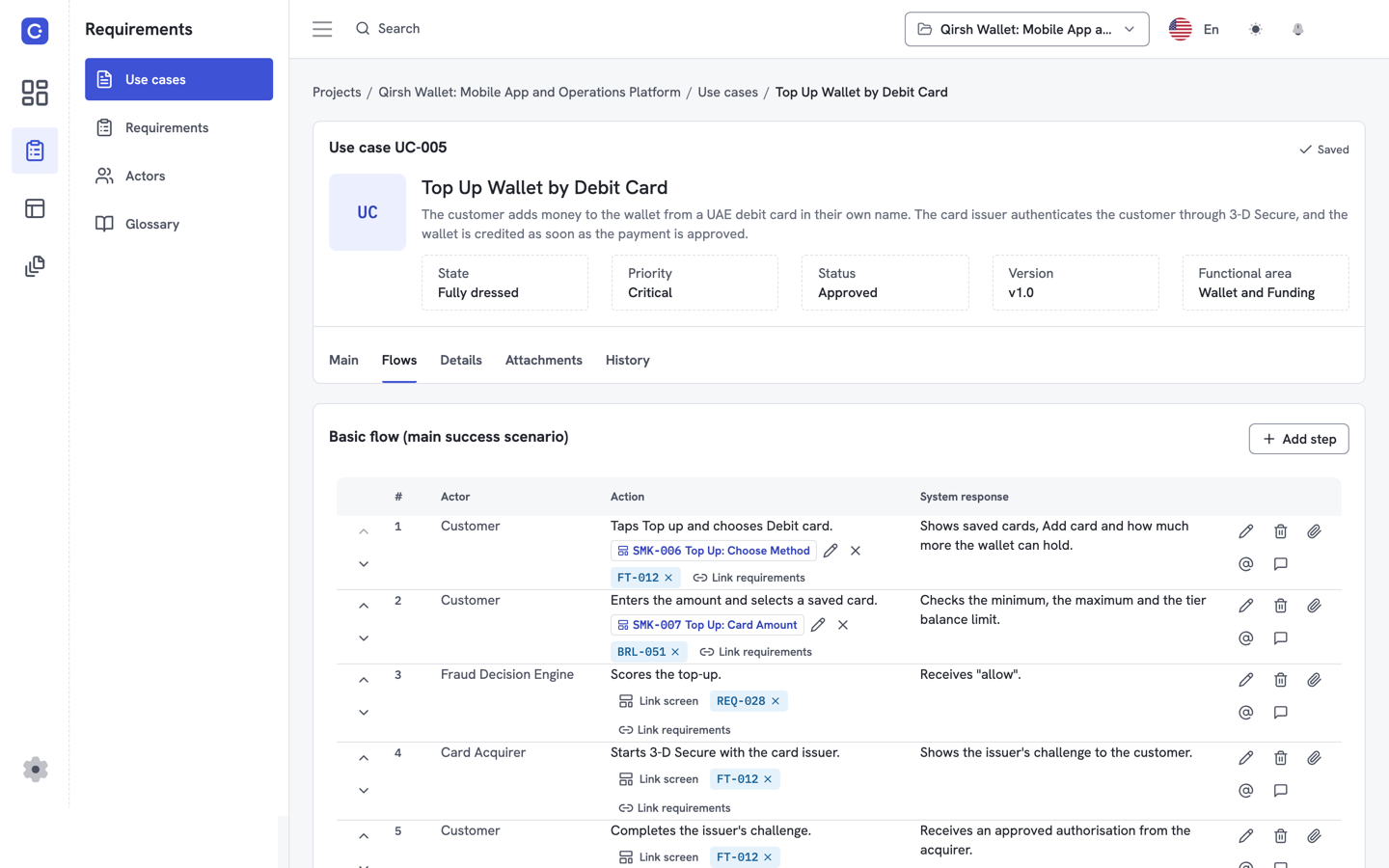
The basic flow is the main success path, written as numbered steps. Each step is one action by the actor or one response by the system. Use short sentences in the present tense.
Follow these rules:
- Start each step with the subject: "The wallet holder selects..." or "The system displays...".
- Describe intent, not interface. Write "enters the amount", not "types into the second text box".
- Keep one action per step. If a step contains "and", split it.
- Avoid conditions in the basic flow. Branches belong in alternate and exception flows.
- End when the goal is reached.
Number the steps. The numbers become the anchors for everything else: alternate flows, requirements and test cases all point to a step number.
What is the difference between alternate and exception flows?
An alternate flow is a valid variation where the actor still reaches the goal. An exception flow is a failure path where the goal is not reached, or is reached only partly. Both branch from a numbered step in the basic flow.
Label each branch with the step it leaves and the condition that triggers it, for example "3a. The contact has no saved account". Then write its steps and say where it rejoins the basic flow or ends.
Think of alternates as "yes, and differently" and exceptions as "no, because". Missed requirements often hide in the exception flows, so ask at every step: what if this fails, times out, or is refused?
What are business rules in a use case?
A business rule in a use case is a policy that constrains behavior, such as a limit or an approval condition. Business rules are not steps. They are statements that steps must obey. Write each rule once, give it an identifier, and reference it from the steps it affects. That keeps the flow readable and stops a rule from drifting out of date in five places.
If a rule needs a number, such as a daily limit, take it from the policy owner. Do not guess it into the document. Mark it open until someone confirms.
What does a complete use case look like?
The example below uses the fictional "Qirsh Wallet" sample project. Every name, rule and condition is invented for illustration.
| Section | Content |
|---|---|
| Name | Send money to a saved contact |
| Goal | The wallet holder transfers funds to a contact they saved earlier. |
| Primary actor | Wallet holder |
| Supporting actor | Payment processor |
| Preconditions | The wallet holder is signed in. At least one contact is saved. The wallet has a balance. |
| Postconditions (success) | The balance is reduced by the transfer amount. The transfer appears in the history. The contact is notified. |
| Postconditions (failure) | The balance is unchanged. No transfer is recorded. |
| Business rules | BR-1: A transfer cannot exceed the available balance. BR-2: Transfers above the policy limit need extra confirmation. The limit is set by the policy owner. |
Basic flow
- The wallet holder selects "Send money".
- The system displays the list of saved contacts.
- The wallet holder selects a contact.
- The wallet holder enters the amount.
- The system checks the amount against BR-1 and BR-2.
- The system displays a summary with the contact, amount and any fee.
- The wallet holder confirms the transfer.
- The system asks the payment processor to execute the transfer.
- The payment processor confirms the transfer.
- The system records the transfer.
- The system updates the balance.
- The system notifies the contact.
Alternate flows
- 3a. The wallet holder wants a contact who is not saved. The system offers "Add a saved contact", and the wallet holder completes that use case. The flow resumes at step 3.
- 7a. The wallet holder changes the amount on the summary screen. The flow returns to step 4.
Exception flows
- 5a. The amount exceeds the available balance (BR-1). The system shows the shortfall and returns to step 4.
- 5b. The amount needs extra confirmation (BR-2). The system asks for it. If the wallet holder cannot provide it, the use case ends with the failure postconditions.
- 8a. The payment processor does not respond. The system keeps the balance unchanged, tells the wallet holder the transfer was not completed, and ends with the failure postconditions.
- 9a. The payment processor declines the transfer. The system shows the reason, keeps the balance unchanged, and ends with the failure postconditions.
In Flowifex, you write use cases with actors, pre- and postconditions, basic, alternate and exception flows, and business rules, and requirements link to individual steps. See the requirements traceability matrix for how step-level links show coverage, and what a requirements traceability matrix is for the background.
What mistakes should you avoid when writing a use case?
Most weak use cases fail in a small number of predictable ways. Check your draft against this list before it goes to review.
- Writing the interface instead of the intent. Steps that name buttons and fields break when the design changes. Describe what the actor decides and what the system does.
- Mixing goals. If the postconditions describe two different outcomes, split the use case.
- Hiding branches in the basic flow. Words like "if" and "unless" in the main path mean an alternate or exception flow is missing.
- Skipping exceptions. The happy path is the easy part. Walk each step and ask what happens when it fails.
- Duplicating rules. A rule pasted into several steps will eventually disagree with itself. Write it once and reference it.
- Naming a person instead of a role. Roles stay valid when staff change.
- Leaving out the system boundary. If the reader cannot tell what the system does itself and what an external actor does, add a scope sentence.
How do use cases connect to requirements and the BRD?
A use case describes behavior. Requirements state what the system must provide to allow that behavior, and the business requirements document gathers both for stakeholders to approve.
Link each requirement to the step or flow it supports. Then you can answer "which requirement covers step 8a?" and spot steps with no requirement at all. Prioritize those requirements with a method such as MoSCoW prioritization, and see a finished document in our business requirements document example.
The Unified Modeling Language, maintained by the Object Management Group, defines the notation for use case diagrams that sits alongside these written descriptions. The current published version is UML 2.5.1.
Flowifex keeps use cases, requirements and the generated business requirements document in one workspace, so use cases, requirements and the BRD stay linked in one place. The Free plan costs $0 and includes all modeling features; see pricing for team plans. Create free account to write your first use case.
Sources
- Alistair Cockburn, Writing Effective Use Cases, Addison-Wesley Professional, 2001 (publisher listing on InformIT).
- Alistair Cockburn, author's site, reference material on use cases.
- Alistair Cockburn, excerpt from Writing Effective Use Cases, course reading, Duke University.
- Object Management Group, Unified Modeling Language (UML) 2.5.1, December 2017.
Read next
Keep every spec in one place. Start with a free project.
Model use cases, link requirements and generate your BRD. Free plan, no card needed.