What is Flowifex?
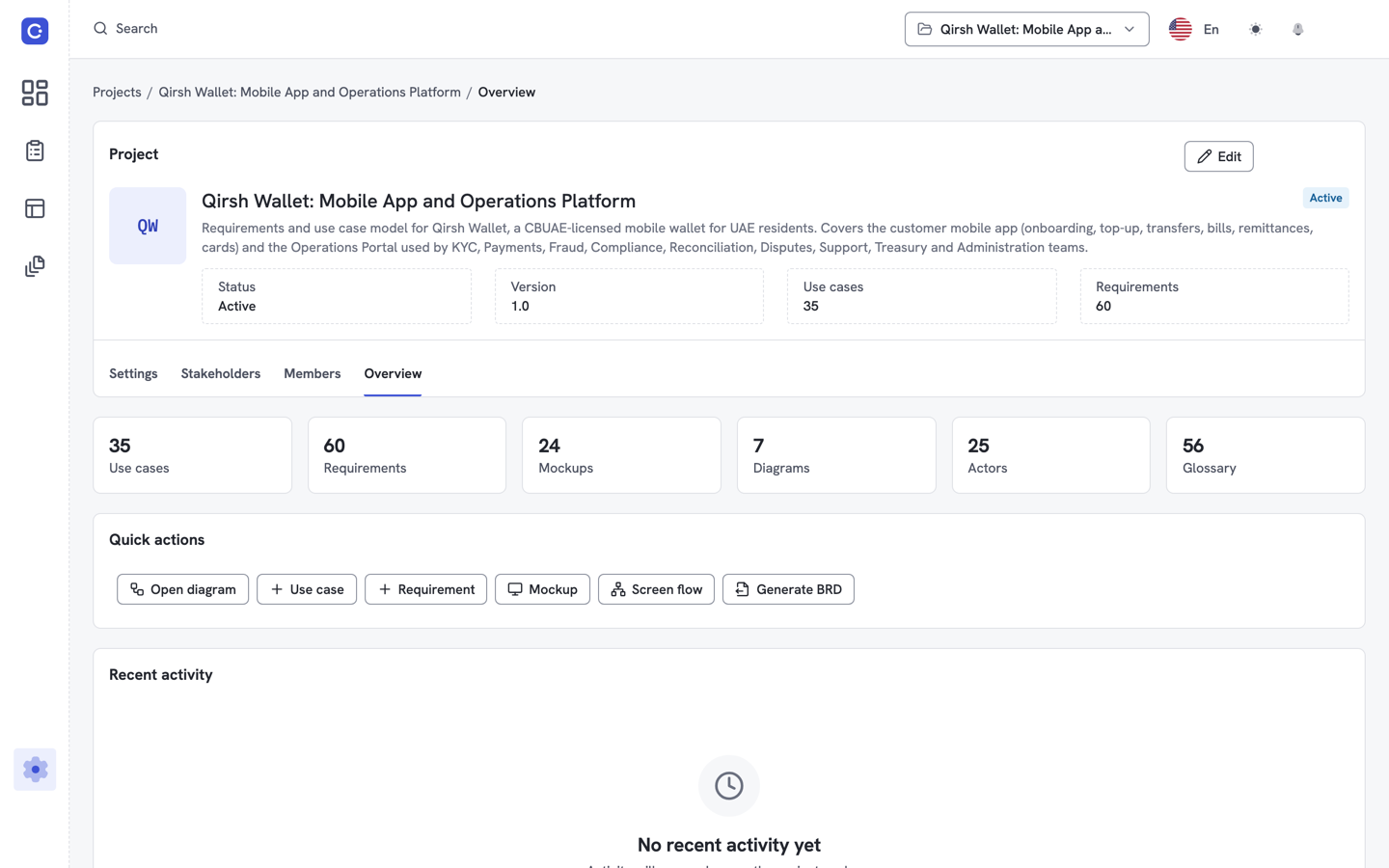
Flowifex is a use case modeling and requirements tool for business analysts that keeps use cases, requirements and the business requirements document in one workspace.
Teams often keep these in separate places: diagrams in a drawing tool, flows in Word and traceability in a spreadsheet. The versions drift apart. In Flowifex they share one model, so the document is a view of your work and not a second copy. The business requirements document is generated from the model in 12 sections, from executive summary to glossary.
Stakeholders do not need to learn a new tool. They open a share link, or you export the document to Word or PDF and send it as you do today. The MCP server that connects your AI assistant is available on every plan, including Free, and works under your own role permissions.
Who is Flowifex for?
Flowifex is for business analysts who write requirements for software. Product managers, QA leads and delivery leads can use it to review, comment and check coverage.
It suits solo analysts and teams of up to 20 members, plus extra members on Enterprise. It is not a systems-engineering suite for regulated programs.
What can Flowifex do?
Flowifex covers the path from first use case to signed-off document. Every item below works on the same project data, and access follows four roles: Owner, Editor, Commenter and Viewer. Comments, edit locks and snapshots keep reviews orderly and history visible. See how it works.
Use case modeling
Write basic, alternate and exception flows with actors, pre- and post-conditions and business rules.
Use case diagrams
Draw actors and use cases on a diagram, with include, extend and generalization relationships, linked to the same model as your flows.
Screen mockups and screen flows
Build mockups from 19 widget types, then link them into a clickable screen flow.
Requirements linked to steps
Attach requirements to individual flow steps, with MoSCoW priority and acceptance criteria.
Traceability matrix
See which requirements cover which steps, spot gaps and export the matrix to CSV.
Generated BRD
Generate a 12-section business requirements document, share it by link, with an optional expiry, or export it to Word and PDF.
Your AI assistant, connected
Claude, ChatGPT, Cursor or any MCP client can read and write the same model with your own permissions.
How much does Flowifex cost?
Pricing is per project, not per user. The Free plan costs $0, has one member, unlimited projects and all modeling features. Team plans raise the member cap and do not unlock features. Yearly billing includes two months free.
There is no free trial and no card is needed for the Free plan. The Free plan lets you model a real project before you decide whether a team needs more seats. Paddle handles payment, and you can cancel at the end of the billing period.
| Plan | Members | Monthly | Yearly |
|---|---|---|---|
| Free | 1 | $0 | $0 |
| Team 10 | Up to 10 | $300 | $3,000 |
| Team 20 | Up to 20 | $500 | $5,000 |
| Enterprise | 20 included | $500 | $5,000 |
Enterprise adds members beyond 20 for $20 per member monthly or $200 per member yearly.
See pricingWho writes the Flowifex guides?
Guides and articles on this site are written by Alaa Jawhar, the founder of Amdose LTD and maker of Flowifex. Topics include how to write a use case, how to structure a business requirements document and how to trace requirements to steps. Read the guides on the blog.

Keep every spec in one place.
Start with a free project.
Model use cases, link requirements and generate
your BRD. Free plan, no card needed.