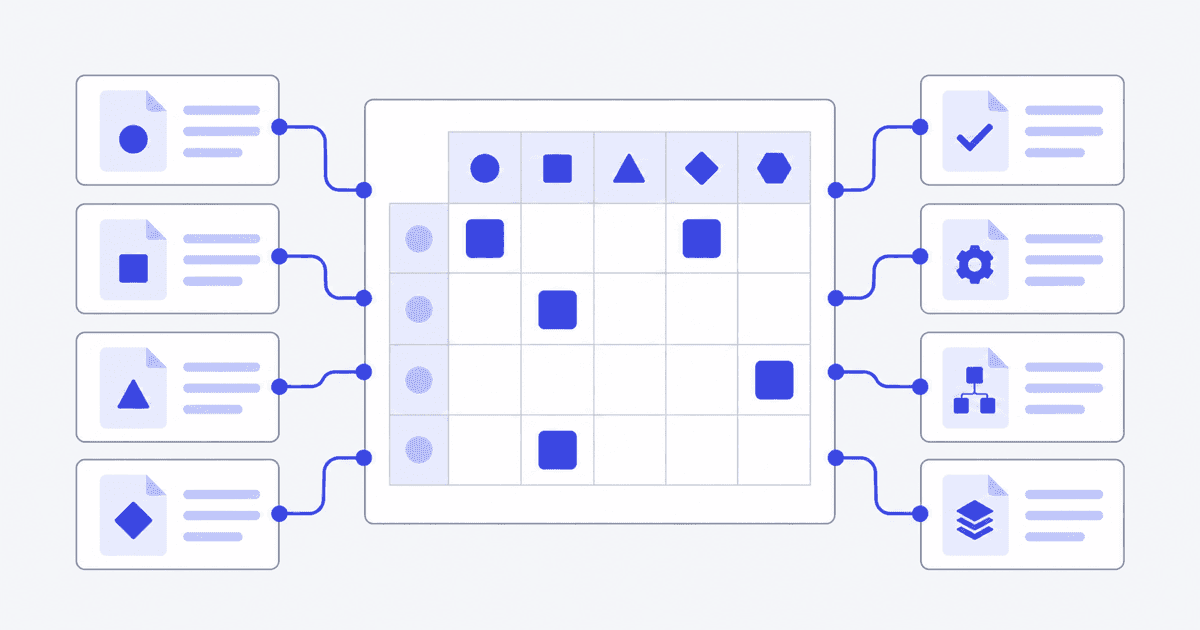
A requirements traceability matrix (RTM) is a table that links each requirement to the things it comes from and the things that implement or verify it: business goals, use case steps, design items and test cases. It shows which requirements are covered and which are not. Business analysts use it to prove that nothing was dropped between the request and the delivered system.
What does a requirements traceability matrix show?
An RTM answers one question: for any requirement, where did it come from and what proves it was built? Each row is a requirement. Each column is a place the requirement should show up, such as a use case step or a test.
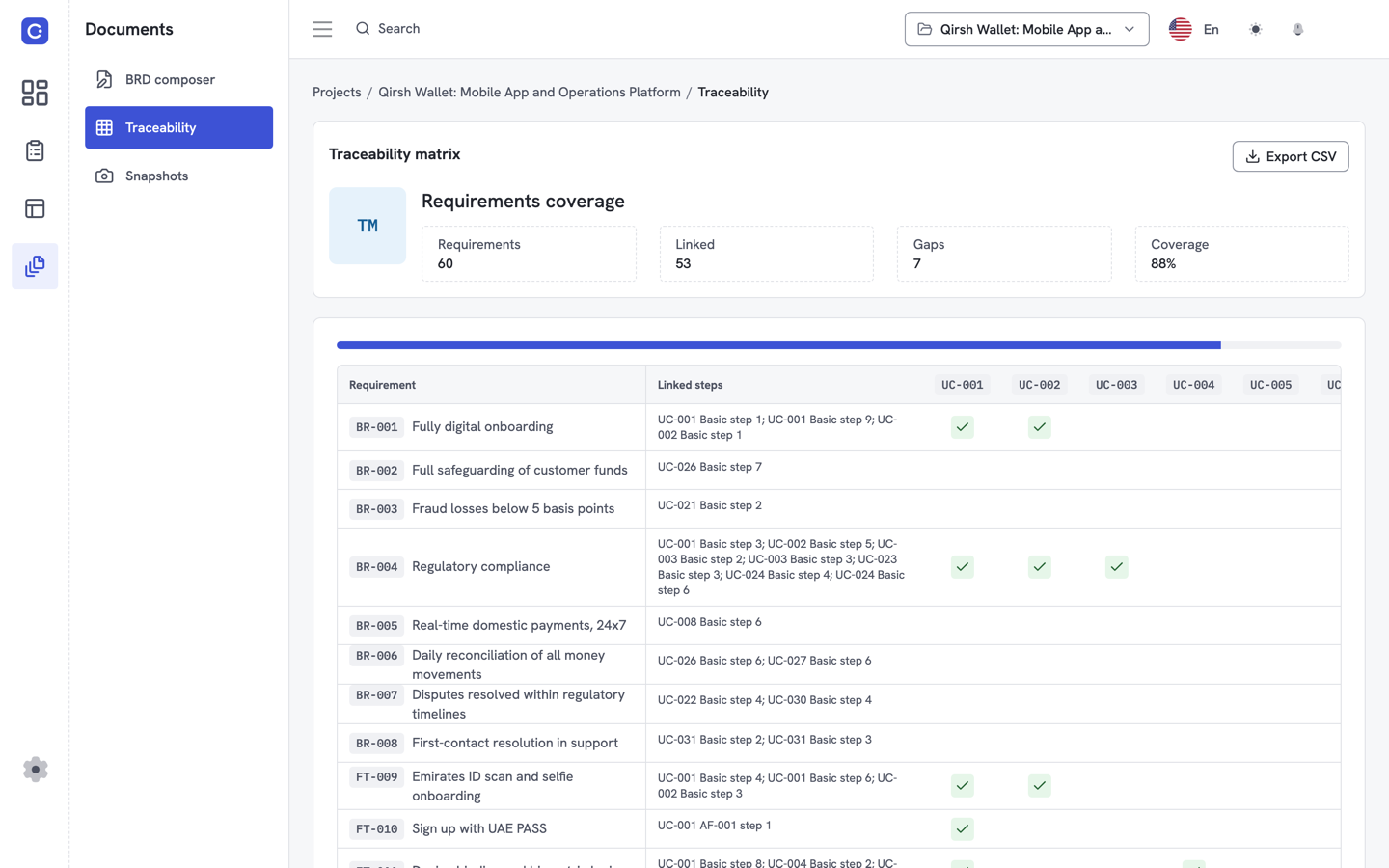
A filled cell means the link exists. An empty cell means a gap. Gaps are the point of the exercise, because a requirement with no linked step or test is a requirement nobody has checked.
The idea is older than any tool. Systems engineering handbooks use matrices of this kind to record how every requirement will be verified. The NASA Systems Engineering Handbook, for example, describes a requirements verification matrix in which each requirement has a unique identifier and a named source document. That matrix covers verification specifically. A business analyst's RTM is broader, but the discipline is the same.
What is the difference between forward and backward traceability?
Traceability runs in two directions, and a useful matrix supports both.
Forward traceability follows a requirement from its source toward delivery. You start with a business need, find the requirement that states it, then the use case step that realizes it, then the test that checks it. It answers: "Is everything we were asked for being built?"
Backward traceability runs the other way. You start with a use case step, a design item or a test, and find the requirement that justifies it. It answers: "Why does this exist?" It catches scope creep, because an item with no requirement behind it was added without anyone asking.
Some teams also name bidirectional traceability, which is simply both directions kept in one matrix. If your matrix has requirements as rows and use case steps as columns, you can read it by row (forward) or by column (backward).
What does an example requirements traceability matrix look like?
Here is a small illustrative example. It uses a wallet top-up use case with six flow steps. The requirement IDs, wording and links are made up for this article to show the shape of the table. They are not from a real project.
| Req ID | Requirement | Priority | Linked use case step | Status |
|---|---|---|---|---|
| REQ-01 | The user can choose a saved payment card | Must | UC-01, step 2 | Covered |
| REQ-02 | The system validates the top-up amount | Must | UC-01, step 3 | Covered |
| REQ-03 | The system shows a confirmation screen | Must | UC-01, step 4 | Covered |
| REQ-04 | The system credits the wallet balance | Must | UC-01, step 5 | Covered |
| REQ-05 | The user receives a receipt | Should | UC-01, step 6 | Covered |
| REQ-06 | The system blocks top-ups above the daily limit | Must | None | Gap |
| REQ-07 | The system retries a failed card charge once | Should | UC-01, exception flow E1 | Covered |
| REQ-08 | The user can set a monthly top-up reminder | Could | None | Gap |
Six of the eight requirements have a linked step, so coverage is 6 of 8, or 75%. The two gaps tell you what to do next. REQ-06 is a Must with no step, so a flow is missing or the requirement is wrong. REQ-08 is a Could, so it may be a deliberate deferral that you should record.
You can read those gaps straight off the table. Finding the same gaps in a Word document means re-reading every page.
What columns go in a requirements traceability matrix template?
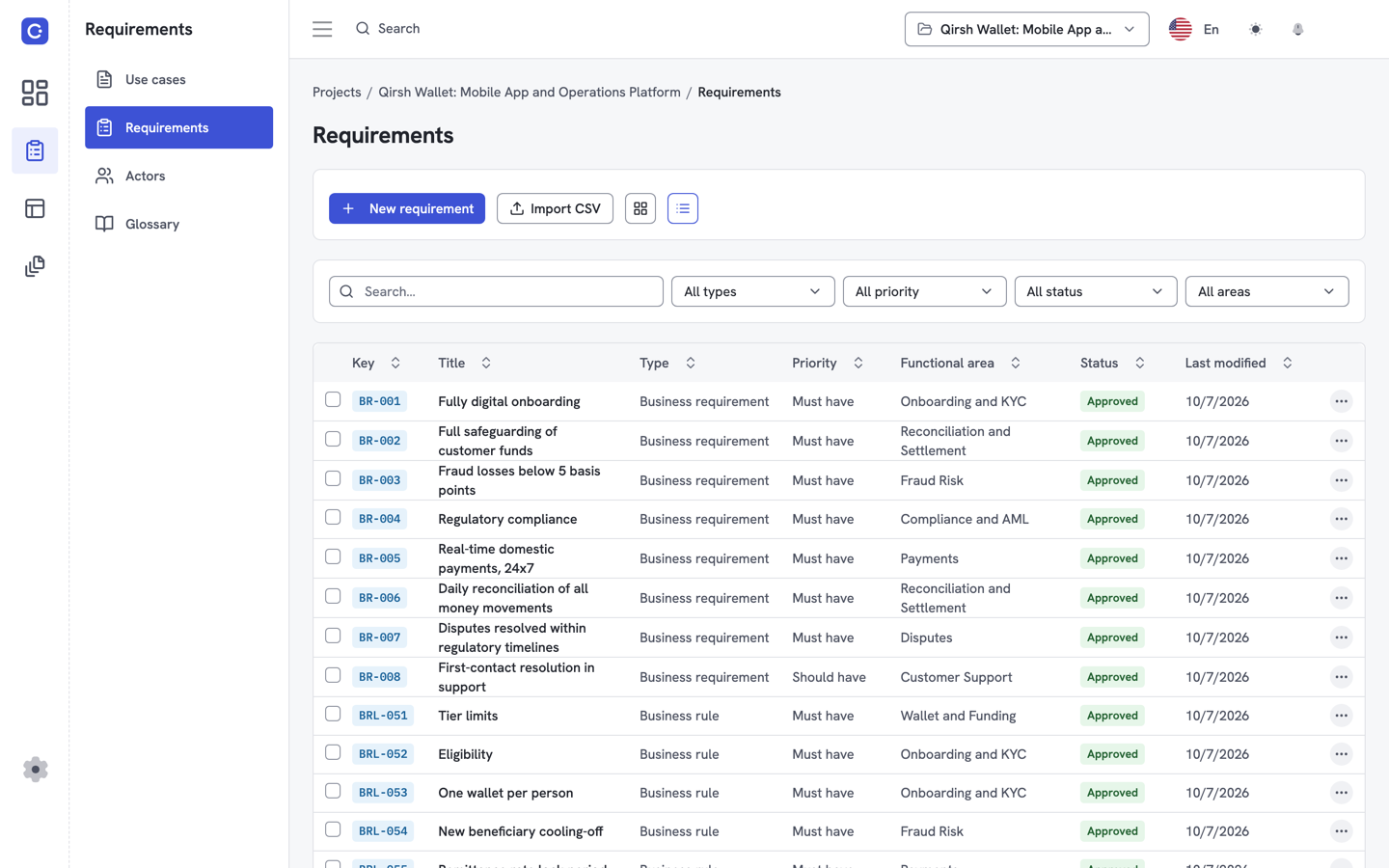
A template can be as small as five columns or as large as fifteen. Start with the columns below and add only what your team will keep current.
| Column | What it holds |
|---|---|
| Requirement ID | A unique, stable identifier that never changes when the text is edited |
| Requirement description | One testable statement |
| Source | The stakeholder, document or business goal it came from |
| Priority | For example Must, Should, Could, Won't (see MoSCoW below) |
| Linked use case or step | Where the requirement is realized in the flows |
| Linked test case | How the requirement will be checked |
| Status | Proposed, approved, implemented, verified or deferred |
| Owner | The person who answers questions about it |
Priority is easier to maintain when the labels are consistent. Our guide to MoSCoW prioritization for requirements explains the four labels.
If you want a starting point rather than a blank sheet, the requirements traceability matrix page shows the layout Flowifex uses.
How does a requirements traceability matrix fit with standards and BA practice?
Requirements engineering has a formal standard. ISO/IEC/IEEE 29148:2018 defines the construct of a good requirement and how requirements processes apply across the life cycle. Reading the full text requires purchase or an IEEE subscription, so check it directly before you cite specific clauses.
Business analysts also work from the IIBA's BABOK Guide, the body of knowledge for business analysis practice. Use it as the reference for the wider craft that the RTM sits inside.
Neither source tells you which columns to use. That choice is yours, and it should follow the questions your reviewers actually ask.
Why do spreadsheet traceability matrices break?
Most teams start the RTM in a spreadsheet. It works for a week and then fails in predictable ways.
- Renumbering breaks links. Insert a step into a flow and every "step 4" reference below it now points at the wrong step.
- Copies drift. The matrix gets emailed, edited and saved under a new name. Nobody knows which copy is current.
- Coverage is typed, not computed. A percentage in a cell is only as true as the last person who updated it.
- The matrix lives apart from the requirements. Changing a requirement in the specification does not touch the spreadsheet.
None of this is a spreadsheet flaw. It is the cost of keeping the same facts in two places. The fix is to hold the links in the same place as the requirements and the flows, so the matrix is a view and not a second copy.
How do you keep a requirements traceability matrix current?
A matrix that is right on day one and wrong by week three is worse than none, because people trust it. These habits keep it honest.
- Use stable IDs. Never reuse an ID. If a requirement is dropped, mark it deferred or rejected instead of deleting the row.
- Link as you write. Add the use case step link at the moment you write the requirement, not in a cleanup pass before review.
- Review gaps first. Open the matrix at the start of every review and read the empty cells before anything else.
- Check after every change. When a flow is edited, re-check the requirements linked to the steps you touched.
- Record deferrals. A Could with no step is fine if the matrix says why.
- Keep one owner per project. Someone has to be the person who asks, "Is the matrix current?"
How do you build a traceability matrix in Flowifex?
Flowifex is a requirements management and use case modeling tool for business analysts. You write the use case flows, then link each requirement to individual steps. The traceability matrix shows requirements against steps, flags the ones with no link and displays coverage, and you can export it to CSV.
Because the links sit next to the flows, renumbering a step does not leave a stale reference behind. The matrix also feeds the traceability section of the generated business requirements document. For the writing side, see how to write a use case and the use case template. For the document that carries the matrix, see the business requirements document template.
The Free plan costs $0, includes one member and all modeling features, and needs no card. Details are on the pricing page. When you are ready, create a free account.
Sources
- ISO/IEC/IEEE 29148:2018, Systems and software engineering, Life cycle processes, Requirements engineering (IEEE Standards Association)
- NASA Systems Engineering Handbook, Appendix D: Requirements Verification Matrix
- IIBA, A Guide to the Business Analysis Body of Knowledge (BABOK Guide)
Read next
Keep every spec in one place. Start with a free project.
Model use cases, link requirements and generate your BRD. Free plan, no card needed.