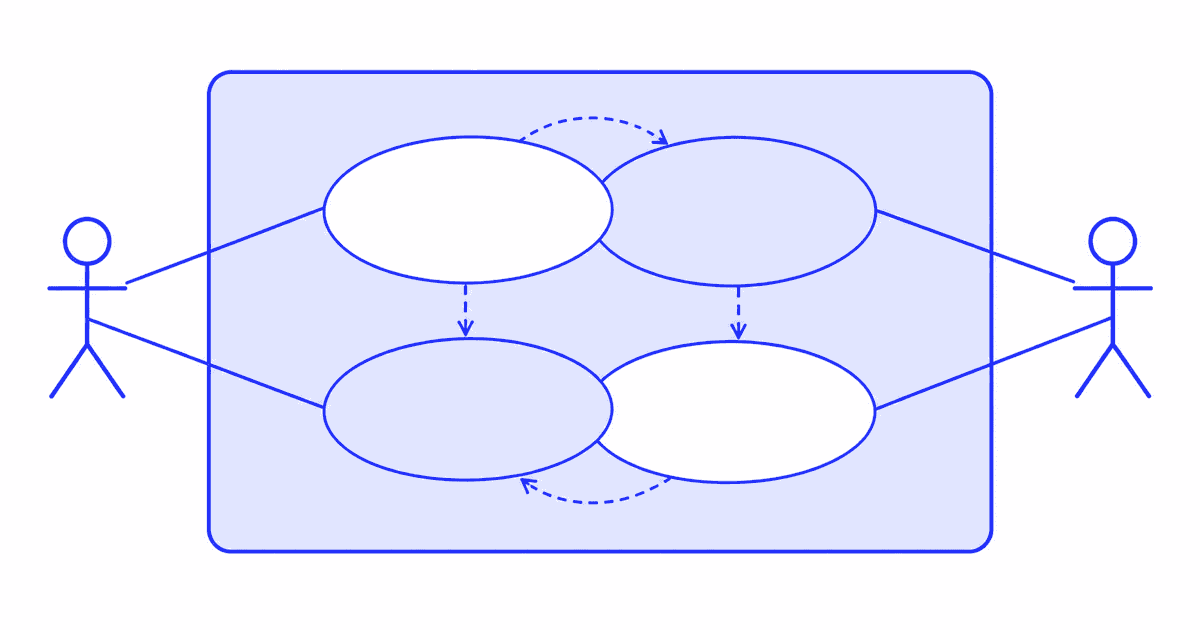
A use case diagram is used to show what a system does for the people and systems around it, on one page. Analysts use it for three jobs: to agree the scope of a system, to explain that scope to stakeholders who will not read a specification, and to find the actors and goals that the detailed use cases must cover. It shows who does what with the system. It does not show how.
What are the uses of a use case diagram?
A use case diagram has three uses: it sets the scope of a system, it explains that scope to stakeholders, and it surfaces the actors and goals that written use cases must cover. They map to three moments in a project: the start, the review, and the analysis.
1. Setting the scope of the system
The diagram draws a boundary box. Everything inside is the system you will build. Everything outside is an actor or an external system. That single line settles many early arguments, because each use case inside the box is a commitment and each one left out is a decision.
2. Communicating with stakeholders
A sponsor, a tester and a developer can all read a use case diagram in a few minutes. Ovals and stick figures need no training. This makes the diagram a good opening slide for a requirements review, and a good reference when someone asks whether a feature is in scope.
3. Finding actors and goals
Drawing the diagram forces two questions. Who uses this system, and what does each of them want from it? Gaps show up fast. An actor with no use case is probably a mistake. A use case with no actor has no owner, so nobody will ask for it or check it.
Each use case you find becomes a heading for a written use case later. The diagram is the index. The text holds the detail.
What are the elements of a use case diagram?
The notation is small. The UML specification published by the Object Management Group defines it, and the UML 2.5.1 specification page is the formal source. The elements you will use most are these.
| Element | Drawn as | What it means |
|---|---|---|
| Actor | Stick figure or labeled box | A role outside the system that interacts with it. A person, another system or a timer. |
| Use case | Oval with a verb phrase | A goal an actor can reach by using the system, such as "Transfer funds". |
| System boundary | Rectangle around the ovals | The edge of the system. Actors sit outside it. |
| Association | Plain line | An actor takes part in a use case. |
| Include | Dashed arrow labeled include | One use case always uses another. |
| Extend | Dashed arrow labeled extend | One use case may add behavior to another under a condition. |
| Generalization | Solid line, hollow triangle | One actor or use case is a specialized form of another. |
Name actors by role, not by person. "Account holder" is an actor. "Maria" is not. Name use cases with a verb and an object, written from the actor's point of view.
What is the difference between include, extend and generalization?
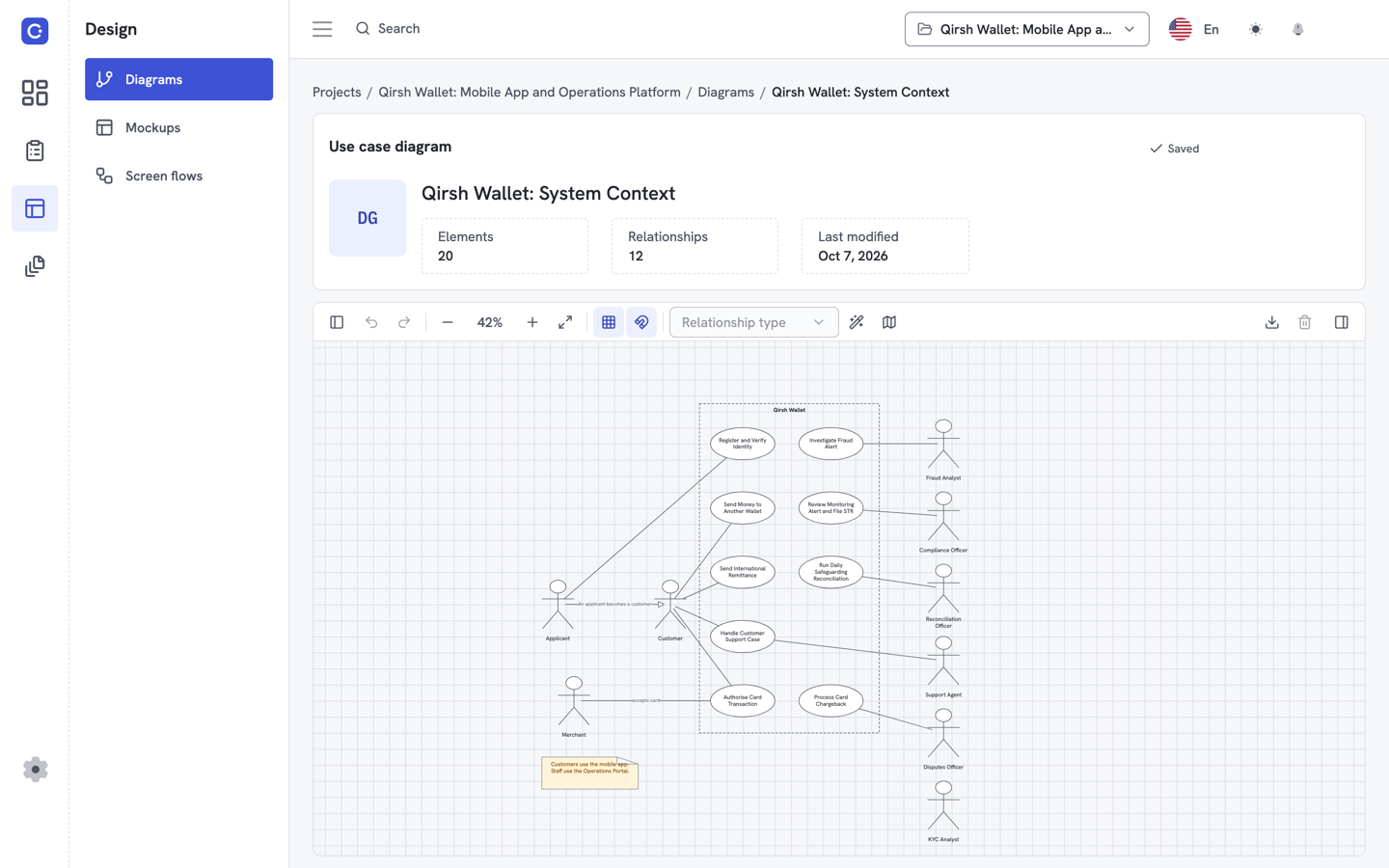
These three relationships cause most of the confusion, and the arrow direction is the part people get wrong. The uml-diagrams.org use case page explains each with examples.
Include
An include relationship means the base use case always runs the included one. The arrow points from the base to the included use case. Use it to pull out a step that several use cases share, so you describe it once.
Example: "Transfer funds" includes "Verify identity". Every transfer needs verification, so the arrow runs from "Transfer funds" to "Verify identity". "Pay a bill" can include the same use case.
Extend
An extend relationship means the extending use case adds behavior to the base only when a condition holds. The arrow points from the extending use case to the base. The base use case is complete without it.
Example: "Transfer funds" is extended by "Request manager approval". Approval happens only when the amount passes a limit. The arrow runs from "Request manager approval" to "Transfer funds".
Generalization
Generalization means a child is a specialized version of a parent. It applies to actors and to use cases. The hollow triangle sits on the parent.
Example: "Premium account holder" is a specialization of "Account holder". It can do everything an account holder can, plus more. Generalization of use cases is rarer, and many teams skip it.
A quick test
Ask one question. Does the base use case work without the other one? If it cannot, use include. If it can, and the other one only fires in some cases, use extend. If you are describing a kind-of relationship, use generalization.
What does a use case diagram example look like?
Here is a small example for a banking app, written as text so you can redraw it.
- Actors: Account holder, Premium account holder (a specialization of Account holder), Manager.
- System boundary: Mobile banking.
- Use cases: Transfer funds, Pay a bill, Verify identity, Request manager approval.
- Relationships: Account holder is associated with Transfer funds and Pay a bill. Both include Verify identity. Request manager approval extends Transfer funds. Manager is associated with Request manager approval.
The screenshot below shows a larger diagram in Flowifex. Actors sit outside the boundary. Use cases sit inside, linked by include and extend arrows, and a note records a rule that applies to the whole group.
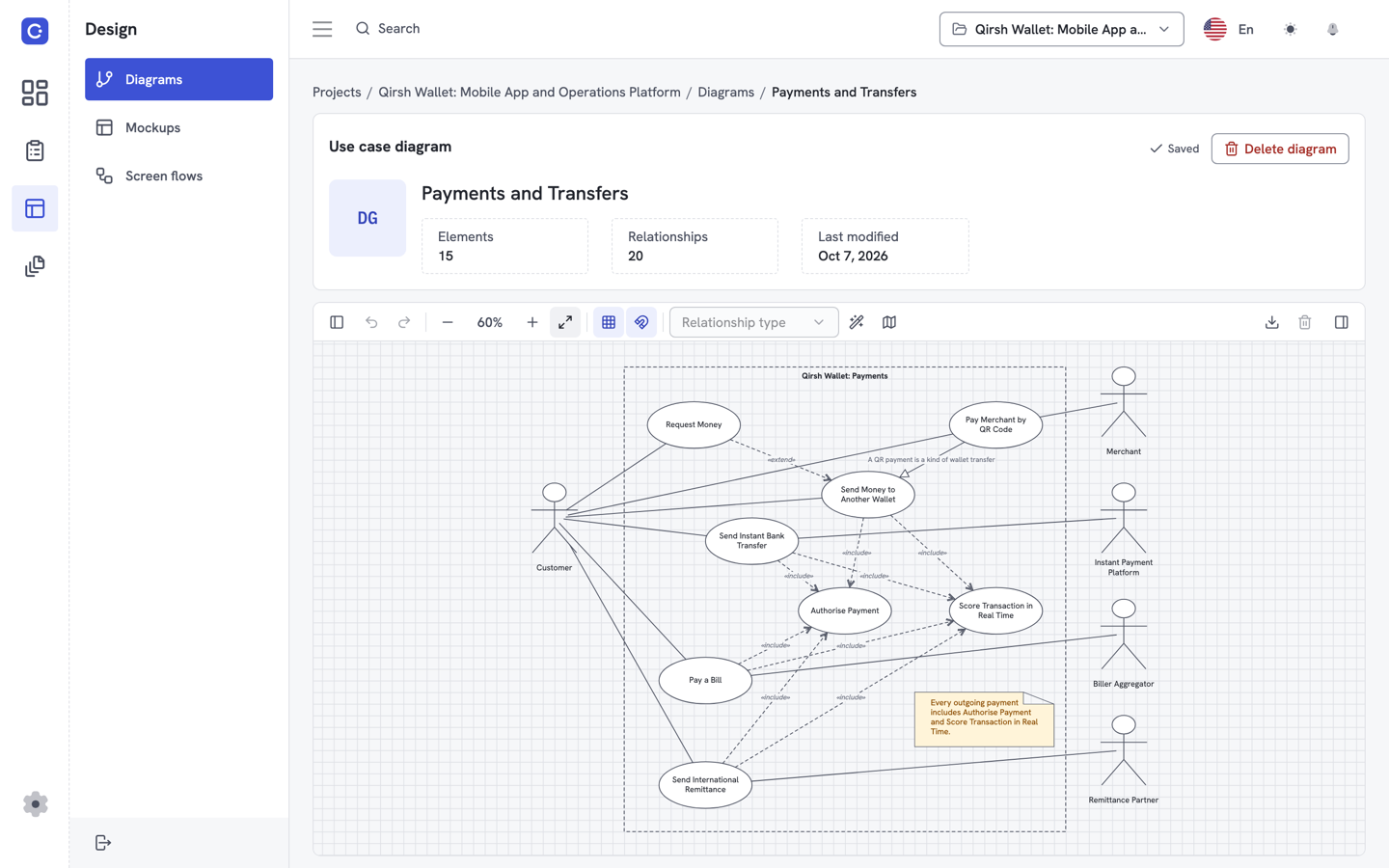
You can draw your own in the use case diagram tool, and the same use cases stay linked to the written flows behind them.
When is a diagram enough, and when do you need the written use case?
A diagram is enough when the audience needs scope and orientation. It answers "what is in and who is it for". It cannot answer "what happens when the card is declined".
You need the written use case when someone has to build, test or sign off the behavior. A written use case holds the actor and the preconditions. It also holds the basic flow, the alternate and exception flows, and the postconditions. Our use case template lays out those fields, and our guide on how to write a use case walks through them step by step.
A simple rule: draw the diagram first to agree the list, then write one use case per oval. If an oval has no text behind it, it is a wish, not a requirement.
What mistakes should you avoid?
Most weak diagrams fail in the same few ways.
- Too much detail. If an oval is a single click or a field validation, it is a step inside a flow, not a use case.
- Wrong arrow direction. Include points to the included use case. Extend points to the base. Check each one.
- Using include for optional steps. If it is optional, it is an extend.
- Actors named after screens or people. Use roles.
- Turning the diagram into a flowchart. A use case diagram shows no order and no decisions. Use an activity diagram for that.
How does a use case diagram fit into requirements work?
The diagram sits at the front of a chain. Use cases come from the diagram. Requirements attach to the steps of each use case. A requirements traceability matrix then shows which requirement covers which step, and the business requirements document pulls the whole model together for review.
If those pieces live in separate files, they drift apart. Keeping them in one linked model is the point of Flowifex, and the Free plan covers one member with all modeling features. See pricing for the team plans. For a view of what the finished document looks like, read the business requirements document example.
Sources
- Object Management Group, Unified Modeling Language (UML) 2.5.1 specification: the formal definition of actors, use cases and the include, extend and generalization relationships.
- uml-diagrams.org, Use case diagrams: notation reference with examples of each relationship.
Read next
Keep every spec in one place. Start with a free project.
Model use cases, link requirements and generate your BRD. Free plan, no card needed.