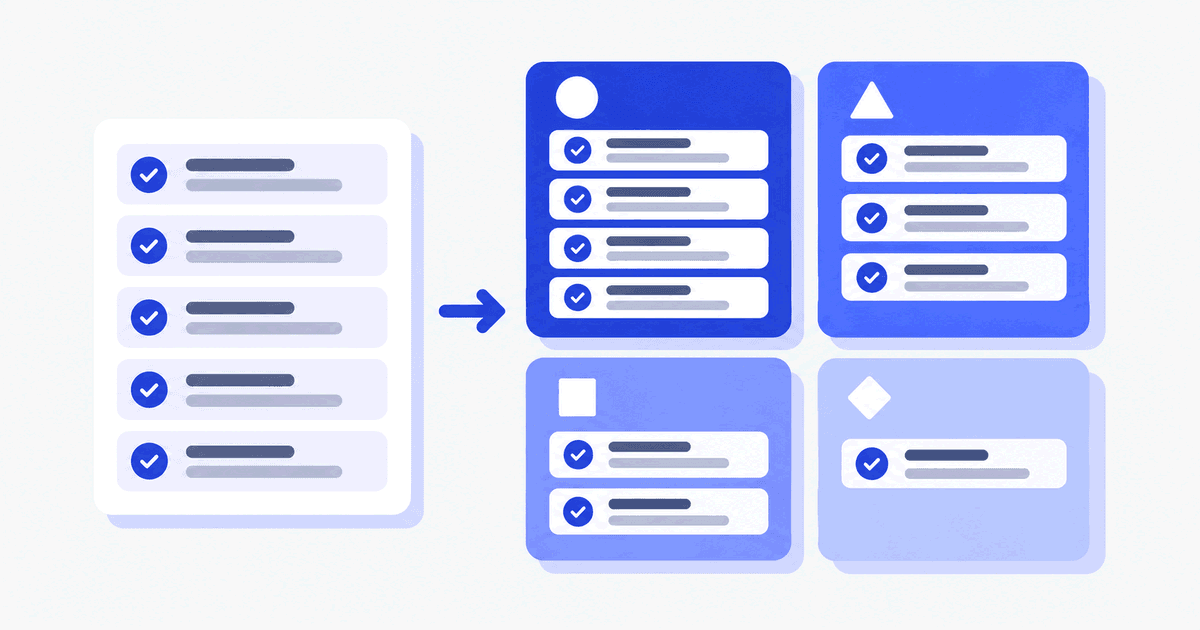
MoSCoW prioritization is a method for ranking requirements into four categories: Must have, Should have, Could have and Won't have this time. Stakeholders agree which requirements the project cannot ship without and which can wait. The result is a shared, written scope that protects the delivery date when time or budget runs short.
What is MoSCoW prioritization?
MoSCoW is a prioritization technique for requirements, user stories and features. The name comes from the first letter of each category. The two lowercase o's are filler that make the acronym pronounceable.
Dai Clegg created the method in the 1990s for rapid application development and described it in the book Case Method Fast-Track: A RAD Approach, written with Richard Barker. The Agile Business Consortium later made it part of the DSDM framework. Its official description is on the Agile Business Consortium MoSCoW page.
The method works because it forces a decision. A list where every item is "high priority" tells the team nothing. A list with a Won't have group tells them what to leave alone.
What are the four MoSCoW categories?
Each category answers one question: what happens if this requirement is missing? The definitions below follow the Agile Business Consortium.
| Category | Meaning | What happens if it is missing |
|---|---|---|
| Must have | The minimum usable set the project guarantees to deliver | The solution is not viable and the delivery is a failure |
| Should have | Important but not vital | The solution still works, but users may need a workaround |
| Could have | Desirable, with less impact if left out | Little harm. These are the first to go when time runs short |
| Won't have this time | Agreed not to be delivered in this timeframe | Nothing. It is recorded so it does not creep back in |
Must have
A Must have is a requirement without which the release has no value. Ask this test question: if we shipped without it, would we still call it a release? If the answer is yes, it is not a Must.
Should have
A Should have is important but not vital. If it is missing, the solution still works, but users may need a workaround. In this example, a transfer confirmation message is a Should: support can cover for it, though user trust drops.
Could have
A Could have is desirable, with less impact if it is left out. The Agile Business Consortium treats Could haves as part of the contingency, so they are dropped first when the deadline is at risk. In this example, PDF export of a transaction history is a Could.
Won't have this time
"This time" is part of the name for a reason. A Won't have is agreed not to be delivered in the current timeframe, and it is not rejected forever. Writing it down clarifies scope and stops it from being added informally mid-project.
What do MoSCoW examples look like in a real project?
Take a fictional wallet app, in the style of the Qirsh Wallet sample project. The team is writing requirements for a first release. All rows below are an illustrative example invented for this article, not customer data.
| Requirement | Priority | Reason |
|---|---|---|
| A user can top up the wallet from a saved card | Must | Without it the wallet holds no money |
| A user can send money to another wallet | Must | Core purpose of the product |
| A user receives a confirmation after each transfer | Should | Support can work around a missing message, but trust drops |
| A user can export a transaction history to PDF | Could | Useful, but statements can be viewed on screen |
| A user can split a bill between several wallets | Won't (this release) | Agreed for a later release |
Notice that each row has a reason. A priority without a reason is an opinion, and opinions are hard to defend in a review.
How do you run a MoSCoW prioritization session?
Run a MoSCoW session in eight steps: prepare the list, invite the decision makers, agree the timeframe, then sort Won't, Must, Should and Could, check effort and record reasons. Here is a sequence you can adapt to your team.
- Prepare the list. Write each requirement as one testable statement. Merge duplicates and split anything that bundles two needs.
- Invite the decision makers. Include the sponsor, a business owner, a delivery lead and someone from QA or development who can speak to effort.
- Agree the timeframe. A Must for a three-month release is not the same as a Must for the full product. Name the timeframe first.
- Start with Won't. Ask what is clearly out. This is the fastest way to shrink the list.
- Sort the Musts. Challenge each one with the test question from above.
- Place the rest. Divide what remains into Should and Could.
- Check the effort. Compare the total with your capacity, as described in the next section.
- Record the reasons. Write down who decided and why, then publish the result.
How much work should be Must have?
The Agile Business Consortium guides teams to keep Must haves to no more than about 60% of the effort in a timeframe, and Could haves to around 20%, so there is contingency. Won't haves are excluded from that calculation.
The 60% figure is a guideline from the DSDM framework, not a law. It holds best when estimates, approach and team performance are well understood. If they are not, keep Musts lower.
The point is a buffer. If the Musts alone fill the whole timeframe, any delay means the project misses its minimum. Pair this with a clear estimate for each requirement, which you can gather in the same session.
What are the common MoSCoW mistakes?
The five common MoSCoW mistakes are: everything is a Must, no one owns the final call, priorities are never revisited, priority is mixed with order, and priority lives in a separate document.
Everything is a Must
Stakeholders often fear that anything below Must will be dropped. The list fills with Musts and the method loses its value. Apply the test question to each item and ask the sponsor to name what happens on launch day without it.
No one owns the final call
If every stakeholder has a veto, the session stalls. Agree beforehand who decides when the group disagrees, and write that name down.
Priorities are set once and forgotten
Scope changes. Review the priorities at each planning point and record why an item moved.
Mixing priority with order
MoSCoW says how important a requirement is. It does not say when to build it. Two Musts still need sequencing by dependency and risk.
Priority lives in a separate document
A priority held in a spreadsheet drifts from the requirement it describes. Keep the priority in the same record as the requirement text and its acceptance criteria.
Is MoSCoW the same as MUST and SHOULD in specifications?
Not exactly. RFC 2119 defines the words MUST, SHOULD and MAY for Internet standards, so that a reader can tell a hard requirement from an option. That is a convention for wording a single statement.
MoSCoW is a project-level decision about scope in a given timeframe. A requirement may be worded with "shall" and still be a Should have for this release because the sponsor decided the date matters more.
What does a MoSCoW prioritization template look like?
A MoSCoW prioritization template is a requirements table with six columns: ID, Requirement, Priority, Reason, Owner and Release. The Reason column records what breaks without the item. The Owner column names who decided. Together they let a team defend each priority in a review.
| ID | Requirement | Priority | Reason | Owner | Release |
|---|---|---|---|---|---|
| REQ-001 | One testable statement | Must / Should / Could / Won't | What breaks without it | Business owner | Target release |
| REQ-002 | One testable statement | Must / Should / Could / Won't | What breaks without it | Business owner | Target release |
The same fields are part of a full requirements document. Our business requirements document template shows where the priority sits among scope, stakeholders and acceptance criteria, and the business requirements document example fills one in.
How do MoSCoW priorities flow into the BRD and traceability?
A priority is only useful if it reaches the people who build and test. As a general practice, a priority shown next to each requirement in a requirements document tells reviewers which requirements are in the committed scope and which are optional.
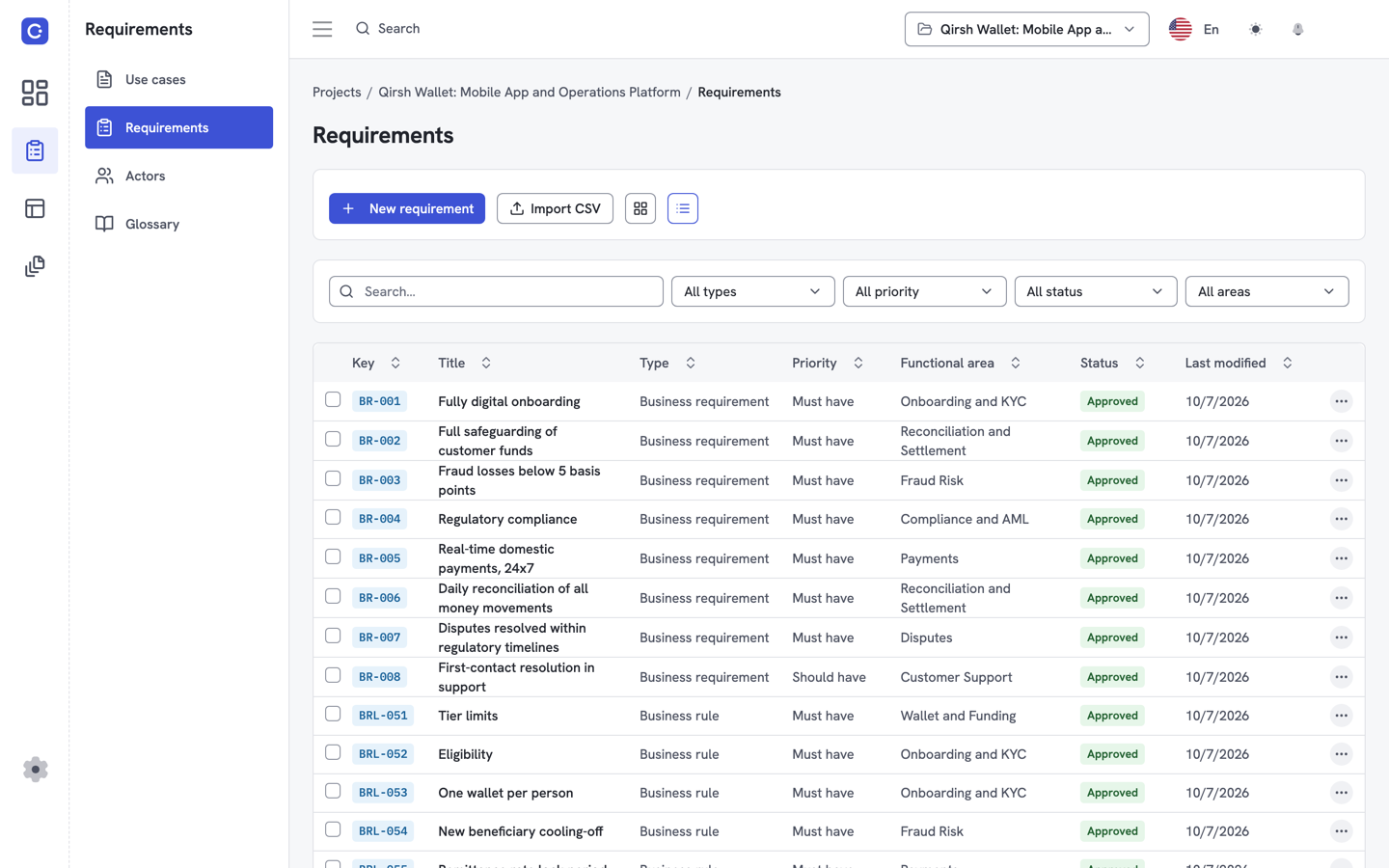
Flowifex is requirements management and use case modeling software for business analysts. MoSCoW priority is a built-in field on every requirement, next to the requirement type and acceptance criteria. The business requirements document is generated from the same model, so the requirements flow into its Business Requirements, Features, Requirements and Business Rules sections.
Priority also helps coverage checks. A requirements traceability matrix links each requirement to the use case steps that satisfy it. Review the Must haves first: a Must with no linked step is the most serious gap. For the background, read what is a requirements traceability matrix.
If you model flows first, the use case template gives you a starting point. The use case diagram tool draws the actors behind them.
The Free plan costs $0 and includes all modeling features for one member; the pricing page lists the team plans. Create free account.
When should you not use MoSCoW?
MoSCoW ranks by necessity, not by value or effort. It does not compare two Should haves against each other, and it does not weigh cost. For a long backlog where you must rank many similar items, teams often combine it with an estimate or a scoring technique.
It also needs a fixed timeframe. Without one, "Must" has no anchor. Set the timeframe before you start.
Sources
- Agile Business Consortium: What is MoSCoW Prioritization? (definitions of the four categories and the effort guidelines).
- IETF RFC 2119: Key words for use in RFCs to Indicate Requirement Levels (MUST, SHOULD and MAY as requirement levels).
- Dai Clegg and Richard Barker, Case Method Fast-Track: A RAD Approach, Addison-Wesley, 1994 (origin of the method; print source, no public link).
Frequently asked questions
MoSCoW stands for Must have, Should have, Could have and Won't have this time. The two lowercase o's are filler that make the acronym pronounceable. The four categories rank requirements by what happens if each one is missing from the release.
No. The full name is Won't have this time. These requirements are agreed not to be delivered in the current timeframe, and they are written down so they do not creep back in informally. They can move into a later release.
Read next
Keep every spec in one place. Start with a free project.
Model use cases, link requirements and generate your BRD. Free plan, no card needed.