A business requirements document template is a ready outline for recording what a project must achieve for the business, and BRD stands for business requirements document. It lists the sections to fill in, such as scope, stakeholders, requirements and traceability. You complete each section, then stakeholders review and approve the result.
Flowifex is a use case modeling and requirements tool for business analysts that generates a business requirements document of up to 12 sections from your use cases and requirements.
This page explains the 12 sections, what to write in each, and what the generated document looks like. Use the outline in Word, or let Flowifex build the document from your model.
Last updated:
What goes into a business requirements document?
The Flowifex BRD has 12 sections, in this order. Flowifex generates up to these same 12 sections. Two of them appear only when you have content for them: the executive summary (when the project has a description) and assumptions (when a use case lists one).
1. Executive summary
State the problem, the proposed change and the expected outcome in a few short paragraphs. A sponsor who reads only this page should know why the project exists. Name the budget range or deadline if one is fixed, so readers see the limits early.
Tip: Write it last, after the rest of the document is settled.
2. Project scope
List what the project includes and what it leaves out. Counts of use cases, requirements, actors, stakeholders and glossary terms give readers a quick sense of size.
Tip: Name at least one thing that is out of scope. It prevents later arguments.
3. Stakeholders
List each person or group with a role, an organization, an interest level and an influence level. This tells reviewers who must approve and who only needs to be informed.
Tip: Add the approver for each business area, not only the sponsor.
4. Actors
Describe every person or system that interacts with the solution. An actor is a role, not a named individual. Examples are a customer, a support agent or a payment gateway. Reviewers use this list to check that nobody who touches the system is missing.
Tip: Include external systems as actors. They are easy to forget.
5. Use case catalog
Catalog each use case with its goal, actors, preconditions, postconditions and flows. The basic flow shows the normal path. Alternate and exception flows show what happens when something differs or fails.
Tip: Group use cases by business area so reviewers can find their own part.
6. Business requirements
Record the high-level needs of the business: the outcomes the organization wants, written without describing a solution. An example is cutting the time to approve a refund. The sponsor and business owners read this section most closely.
Tip: Each one should be testable by a stakeholder who is not technical.
7. Features
Group capabilities of the solution that satisfy the business requirements. A feature is larger than a single requirement and smaller than the whole project. An example is a refund approval queue. It collects several requirements under one name that reviewers recognize.
Tip: Link each feature back to a business requirement.
8. Requirements
Write the detailed requirements with an ID, title, description, type, priority, status and acceptance criteria. One requirement states one need.
Tip: Use MoSCoW priority (Must, Should, Could, Won't) so scope decisions are visible. Read the DSDM definition of MoSCoW.
9. Business rules
Capture the policies and constraints that the system must enforce, such as approval limits or eligibility conditions. Keep rules in their own list with an ID so each use case step can refer to them by ID.
Tip: Give each rule an ID and refer to it from the steps that depend on it.
10. Assumptions
List what you are treating as true without proof, for example a dependency on another team or a data source being available. Reviewers can then challenge each assumption.
Tip: Record who owns each assumption and when it needs checking.
11. Glossary
Define the terms the business uses, with a category and any aliases. The same word often means different things to different departments. Examples are account, customer or order. A shared definition stops two teams from building to different meanings.
Tip: Add a term as soon as two people use it differently.
12. Traceability
Show which use cases and flow steps each requirement is linked to. This is where gaps appear: a requirement with no linked use case is not yet covered.
Tip: Review the matrix before sign-off, not after development starts.
What does a business requirements document example look like?
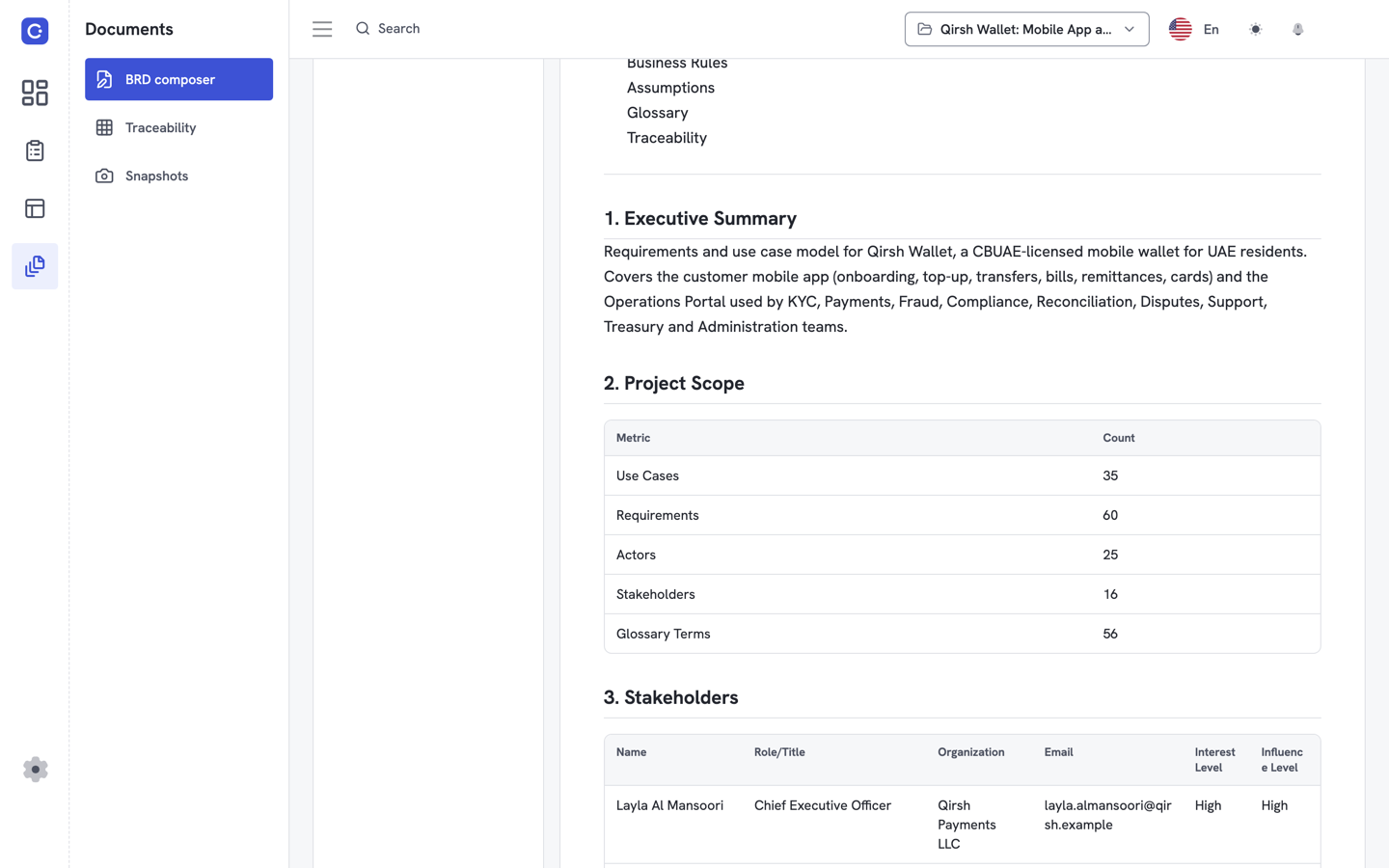
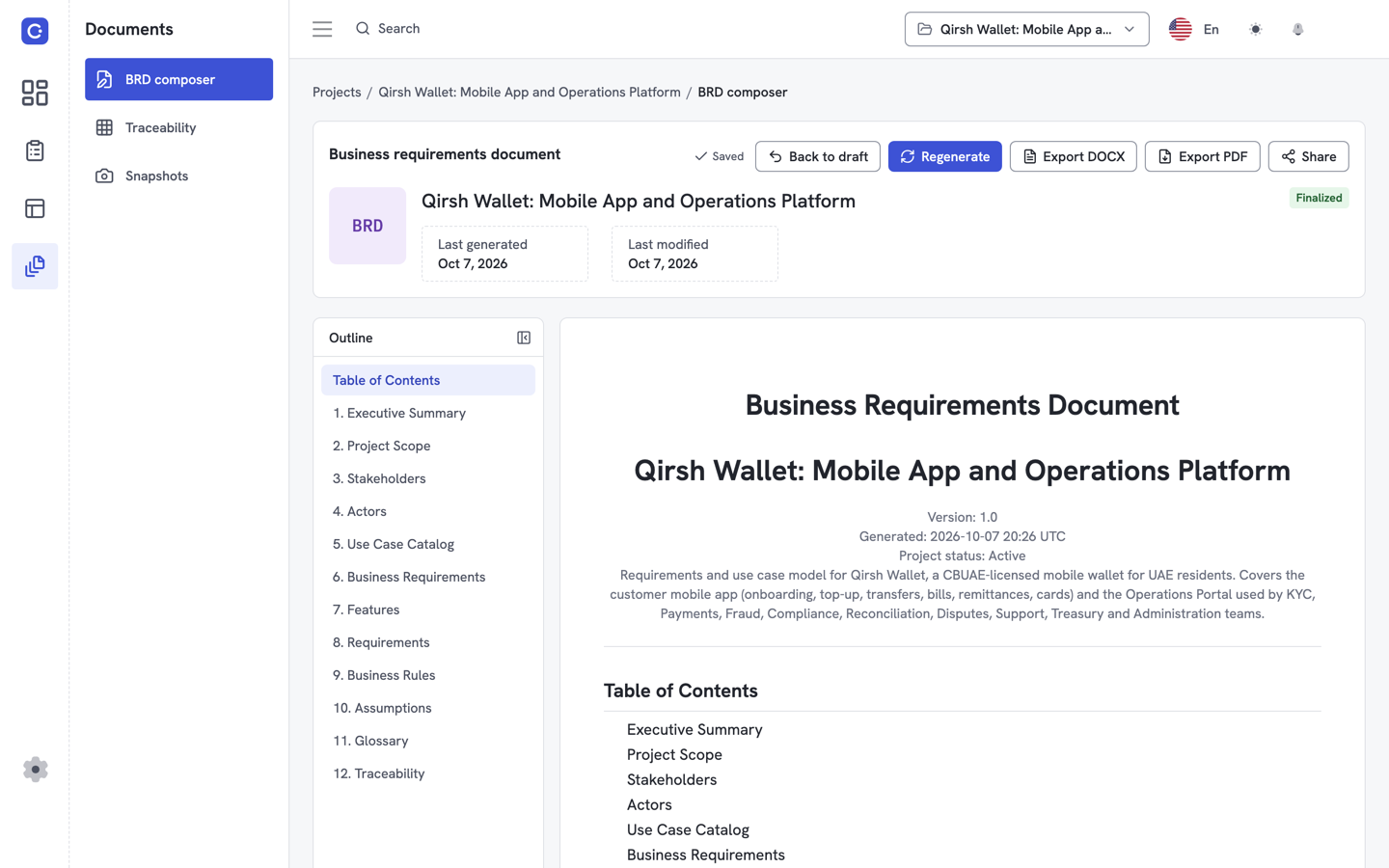
The table below walks through a sample business requirements document generated by Flowifex and what each part is for. Use it as an example of a business requirements document structure. It describes the structure of the document, not data from a customer. Flowifex demonstrates its features on a fictional sample project called Qirsh Wallet.
| Part of the BRD | What it shows | Why it matters |
|---|---|---|
| Title page | Document title, project name, version, generation date and project status. | Reviewers see at once which version they hold. |
| Project scope table | Counts of use cases, requirements, actors, stakeholders and glossary terms. | Gives a quick measure of size before anyone reads detail. |
| Stakeholders table | Name, role or title, organization, email, interest level and influence level. | Shows who must approve and who is informed. |
| Requirements table | ID, title, description, type, priority, status and acceptance criteria. | Each row is one need that a tester can check. |
| Traceability table | Requirement, title, linked use cases and linked steps. | A requirement with no linked use case is a visible gap. |
For a longer walkthrough with annotations, read the business requirements document example.
How do you use this template?
To use a BRD template, you either copy the 12 headings into Word and fill them in, or generate the same sections from your use cases and requirements in Flowifex. The first suits a small project that one person writes once. The second keeps the document in step with the model when requirements change.
| Approach | Best for | What you maintain by hand | Output |
|---|---|---|---|
| Copy outline into Word | A small project that one person writes once | The requirements table, the use case text and the traceability table, each time a requirement changes | A Word file |
| Generate in Flowifex | Projects where requirements change during review | The model itself: use cases, linked requirements, stakeholders and glossary terms | A document shared by link with an optional expiry date, or exported to DOCX or PDF |
Requirements link to flow steps in the use case template, and the final section is built from the requirements traceability matrix.
The Free plan costs $0 and has one member, with all modeling features included. There is no free trial. See pricing for team plans.
Create free accountBRD template FAQ
A BRD describes what the business needs and why, for sponsors and business stakeholders. An SRS (software requirements specification) describes what the software must do in detail, for designers, developers and testers. Many teams write the BRD first and derive the SRS from it.
Long enough to cover the 12 sections and short enough that stakeholders read it. A small project may need a few pages. A large one needs more, because the use case catalog and requirements tables grow with the scope. Length is a result of scope, not a goal.
The project sponsor and the business owners of each area the project changes sign off. Delivery or product leads usually review it too. List approvers in the stakeholders section so everyone knows who must agree before work starts.
Yes. Flowifex generates the BRD from your project and lets you export it to DOCX or PDF. You can also share it by link with an optional expiry date. Edit the exported file in Word if your reviewers prefer to comment there.
Keep every spec in one place.
Start with a free project.
Model use cases, link requirements and generate
your BRD. Free plan, no card needed.